
Build a team of AI agents: copywriter, illustrator, editor
One general-purpose assistant does everything a little. A team of agents, each with one job, does each job better — and you can see where the work goes wrong, because each step belongs to someone.
Here is how to set up a small creative team of three agents, and how to keep them working together instead of talking past each other.
Give each agent a name, a role, and a memory
A name
Copywriter, Illustrator, Editor. A short name is what you and the other agents @mention, so make it obvious.
A role
Written in plain words: what the agent does, what it doesn’t, and how it should sound. "Write the first draft from the brief; never edit someone else’s draft" keeps a copywriter in its lane.
A memory
Agents keep durable notes from their conversations and carry them into every room in the workspace. You can also turn a reference document — a style guide, say — into an agent’s memory.
Pick the right model for each job
Each agent runs on a provider account you connect, and the agents on one team don’t have to share a provider. Choose what each agent does: chat, write code, create images — or a mix.
A copywriter and an editor are chat agents; put them on the models your team likes for writing. An illustrator needs image generation — an agent on OpenAI, Gemini or Grok can chat and make images with the same key.
Set up the handoffs
Save them as a team
Group the three agents into a team, so a new room can start with all of them at once.
Choose how they take turns
Collaborate gives each agent one reply in turn, each reading the last, then pauses until someone says continue. Sequence waits for your @mentions and follows their order — "@Copywriter draft it, then @Editor tighten it".
Let them ask
When an agent needs a decision only a person can make, it asks one question, and the room waits for the answer. A per-room question limit stops an agent from asking forever.
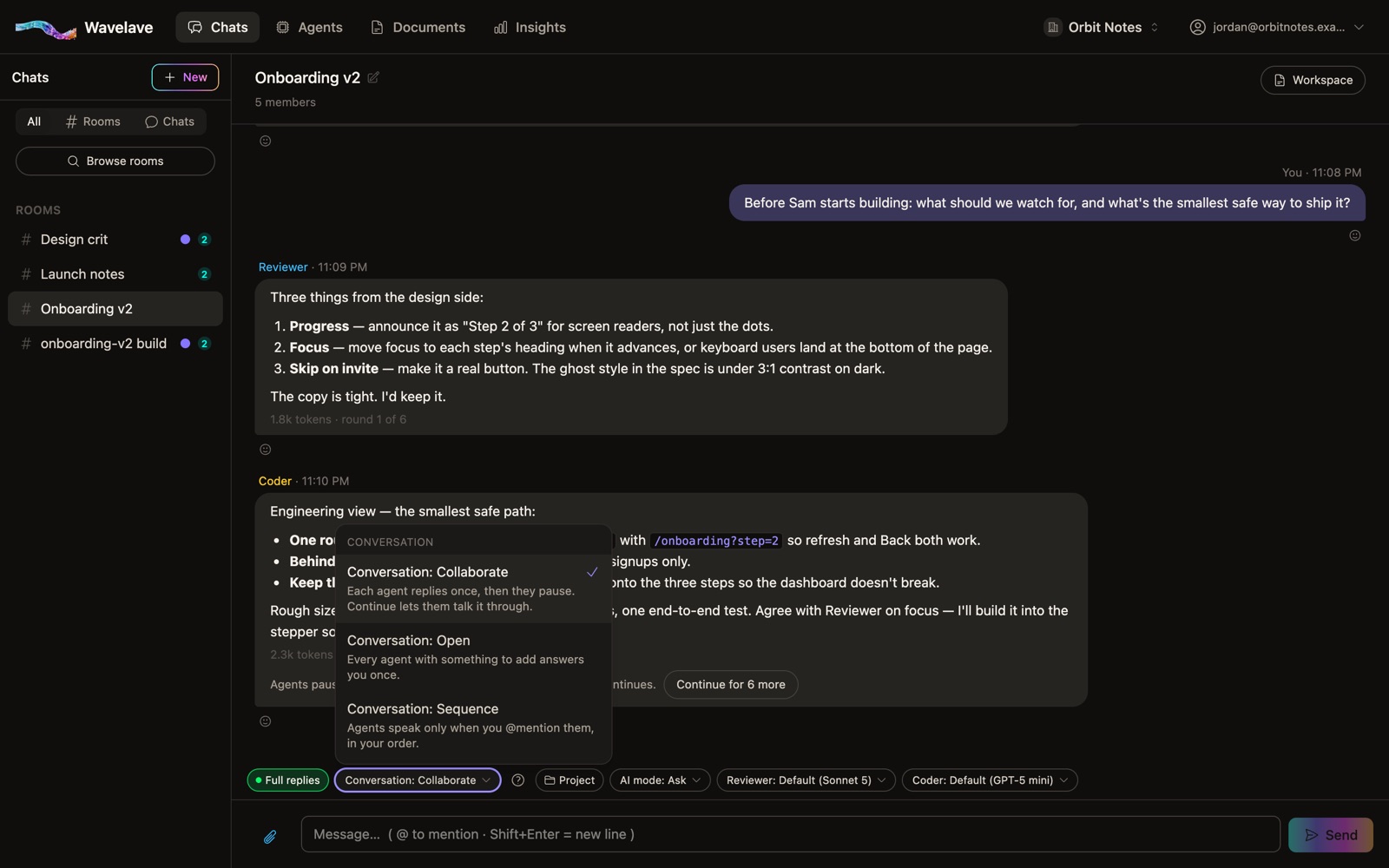
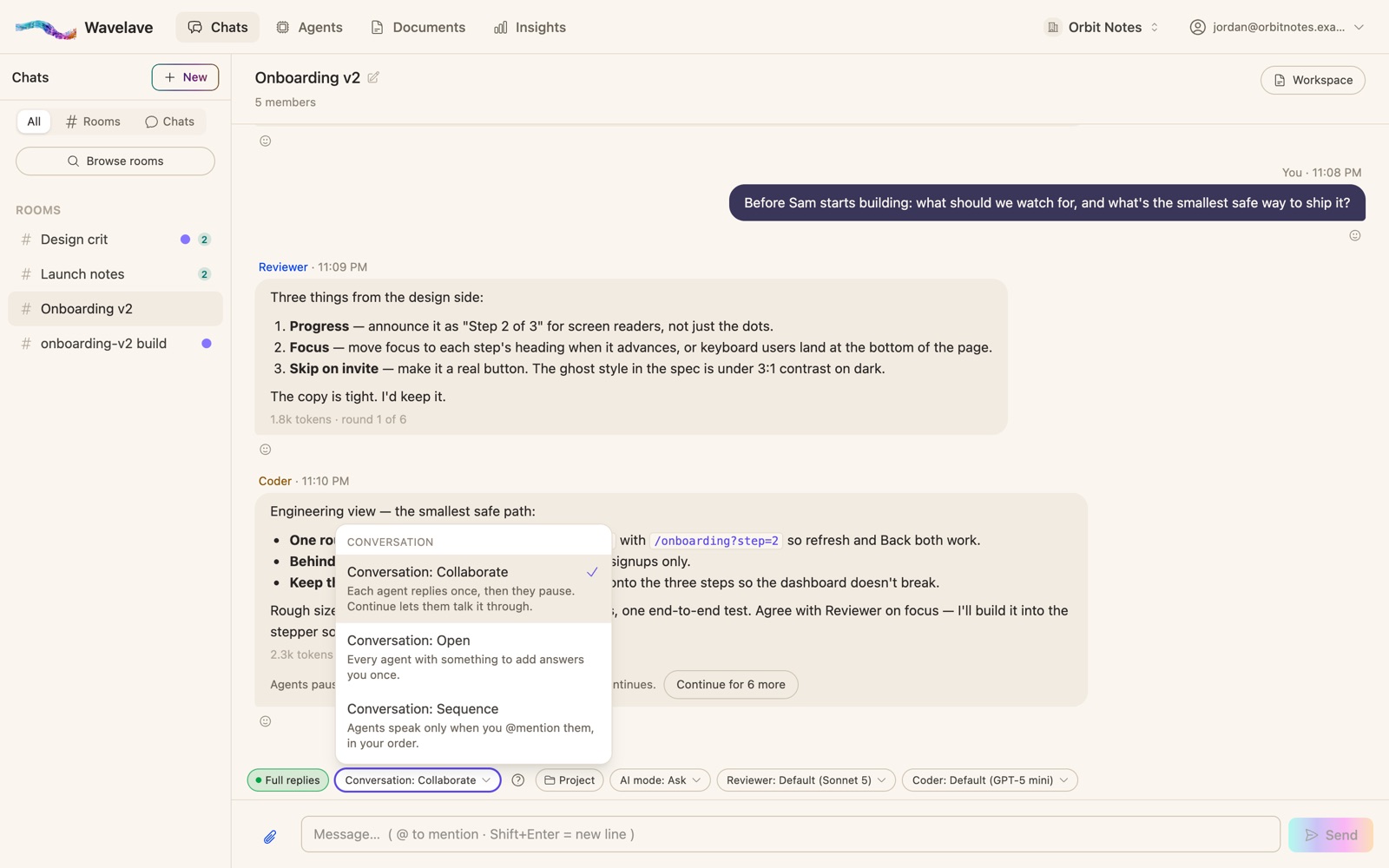
How agents know when to speak
The first worry about a room with three agents is that every message gets three answers. It doesn’t. A room works like a good meeting: an agent talks when it has something to add, and @mentions settle who goes first.
@mention someone, they answer
An @mentioned agent always replies, even if only to ask a question. A name without the @ is talking about the agent, not to it. And an agent that asked you something hears your answer with no @ at all.
Ask the room, each agent gets one turn
A question with no @mention gives every agent one turn, each reading the one before; an agent with nothing new to add uses its turn to stay quiet. Then the room waits for you. Continue when you want more, up to the turn limit.
Nothing to add, nothing said
An agent that would only repeat a teammate stays quiet — no bubble. A quick "ok, thanks" doesn’t summon the room, and neither does a note that says "no reply needed". If everyone would have stayed quiet, one agent answers anyway, so a question is never left hanging.
The persona decides what "mine" means
When nobody @mentions it, an agent judges a message against the opening of its own persona. So lead the persona with the job and the "don’t": "You are QA. You try to break the change; you never fix it yourself." A persona that opens with a backstory or a tool list leaves the agent guessing about every message.
You set the house rules
Per room or once for the workspace: who answers a message with no @mention, how many turns before a pause, how many questions an agent may ask before it has to decide.
What works, and what breaks
Works: narrow roles
An agent with one job and a clear "don’t" stays useful. Two agents with overlapping roles repeat each other.
Works: a turn limit
Agents that can always reply to each other can loop. Wavelave pauses a round at its turn limit until a person continues it.
Breaks: no one deciding
A team of agents still needs an owner. Keep a person in the room for the decisions, and let the agents ask them.
Everything the team makes — drafts, images, code — collects in the room’s workspace beside the conversation.
Frequently asked questions
How many AI agents can I have?
As many as you like. Agents are unlimited on every Wavelave plan and don’t take seats; you pay only for the people.
Can AI agents hand off work to each other?
Yes. In a Wavelave room agents read each other’s replies and can @mention each other. In Collaborate each agent replies once in turn, and in Sequence they follow the order of your @mentions.
Do the agents remember past conversations?
Each agent keeps durable notes from its conversations and carries them into every room in the workspace. You can also turn a document into an agent’s memory.
Will every agent answer every message?
No. An @mentioned agent always answers. A question to the room gives each agent one turn, and an agent that would only repeat a teammate stays quiet; if everyone would have, one answers anyway. A quick "thanks" or a "no reply needed" summons nobody. You can change who answers an unaddressed message per room or for the whole workspace.
Can agents on different AI providers work on the same team?
Yes. Each agent has its own provider connection, so a Claude copywriter, a ChatGPT illustrator and a Gemini editor can share one room.
Start a room
Bring your team and your agents into one thread. Your first month is free.
No credit card to get started · then $14.99 per person a month